
Request a Library Room
In addition to our main drop-in library study space, we provide bookable rooms for study, teaching, training and educational activities. While we are happy for colleagues to book for other work related purposes when available, it should be noted that the rooms are not soundproof and may not be suitable for confidential discussions.
What room is suitable for me?
Small room for webinars and taking calls
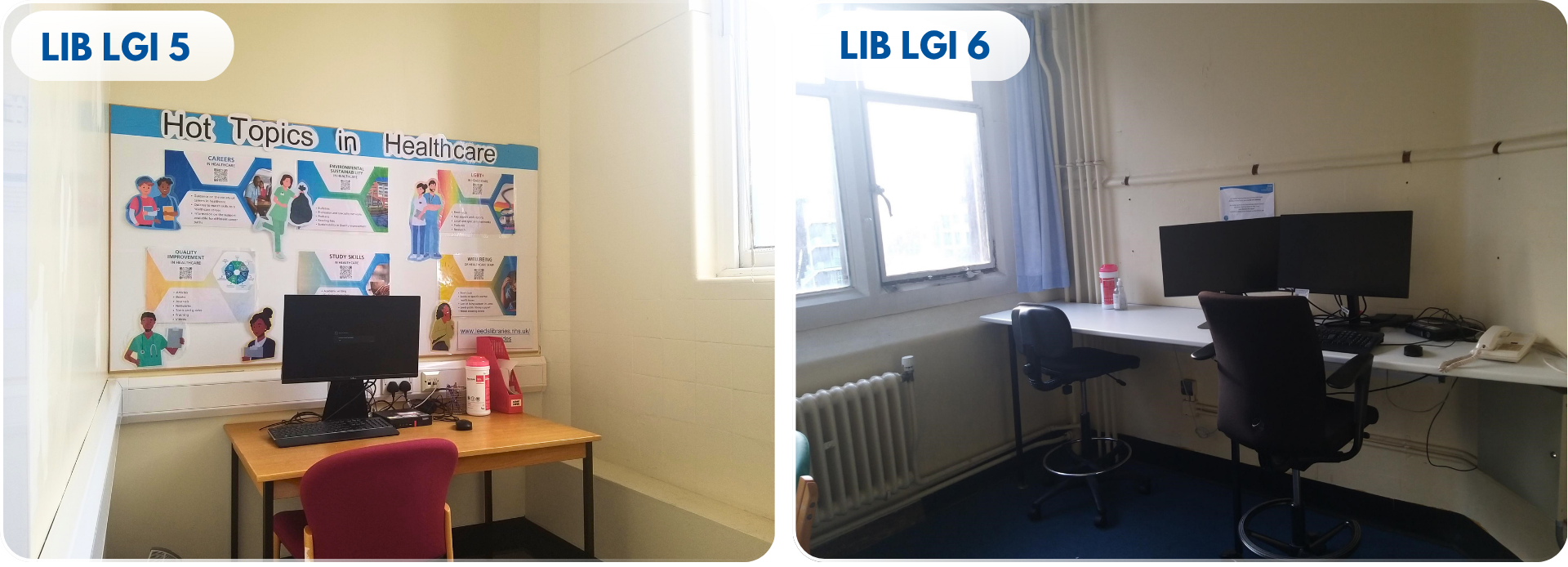
At our LGI library we offer bookable small rooms away from the main drop-in library space, each equipped with an LTHT networked PC.
- LIB LGI 5 (1 person)
- LIB LGI 6 (up to 2 people, phone on LTHT network)
Headphones and a webcam can be borrowed from the library front desk during office hours (Monday-Friday, 8:30am-4:30pm)
Small group training / discussion
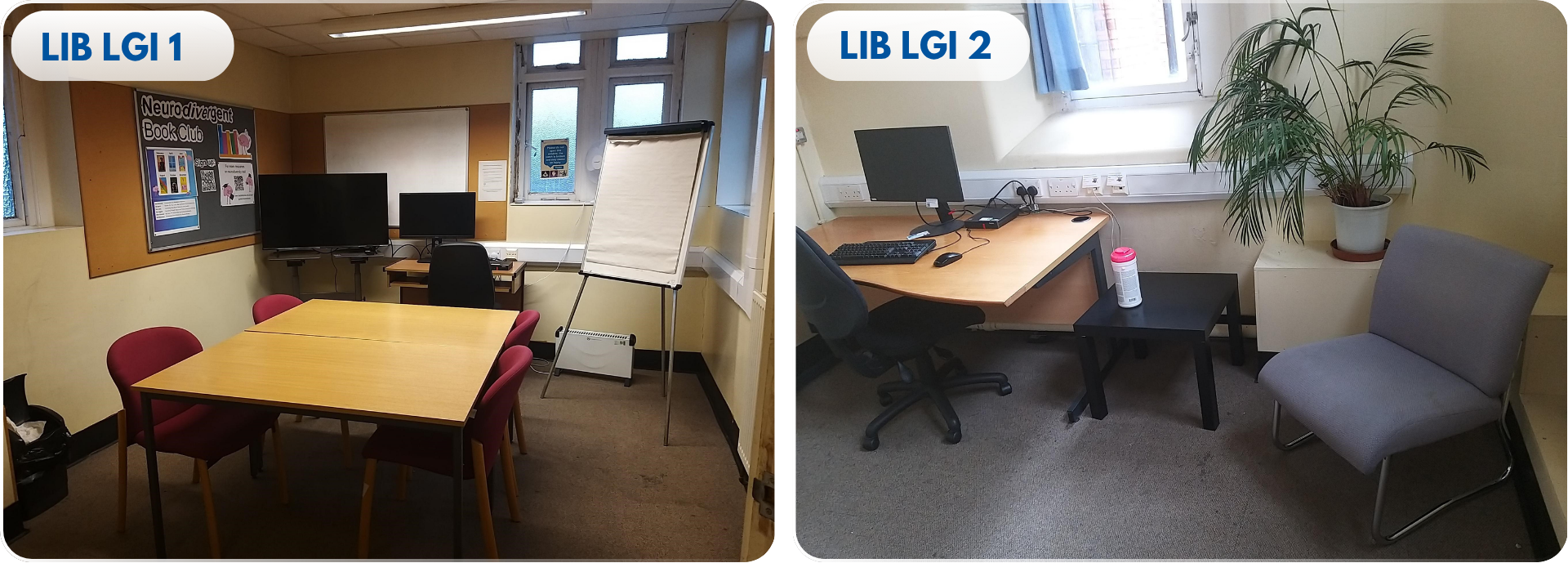
At our LGI library, we offer bookable rooms for small group discussions, each equipped with an LTHT networked PC.
- LIB LGI 1 (up to 5 people, discussion table, flipchart/whiteboard and TV screen)
- LIB LGI 2 (up to 3 people)
Additional group study materials are available from the library front desk during office hours (Monday-Friday, 8:30am-4:30pm)
Large group teaching / discussion
At our LGI library we provide a large seminar room with a flexible layout.
- LIB LGI 4 - Up to 30 people (simulation equipment and putting out tables may reduce capacity)
Contains the following equipment:
- 6 foldable tables
- 30 conference chairs
- 1 LTHT network PC connected to wide screen TV on wheelable trolley
- Freestanding whiteboard with flipchart paper
You are welcome to drop by the library in advance of your booking to see the room. Further details of our location are on the LTHT homepage of this website.
Further teaching rooms are provided by our Medical Education Department.

Group IT Training
At our libraries at SJUH and LGI, we offer IT suites that are used as additional drop-in computer space when not booked. These IT suites may also be reserved for group IT based training.
Bexley Wing, St James' University Hospital Library:
- BEX LIB IT (11 PCs)
Leeds General Infirmary Library:
- LGI LIB IT (16 PCs and an additional LTHT PC connected to a TV Screen)
When our Library IT suite is booked, the adjacent main drop in library space quickly fills and there is more pressure to provide access to the IT suite to individuals if it appears vacant.
If you are running late to set up in the IT suite or will need to leave the IT suite vacant for longer than 30 minutes, please let our library staff know.
Tel: 0113 39 20140
How do I book a room in advance?
- Visit Bookwise. The calendar will default to today's date.
- To view future dates, click the cog icon on the left to reveal a date picker for you to choose another date.
- You will see the slots that are booked in yellow and the free spaces for every library room in white. To request a room, click on the start time for the room you require. (You can amend the finish time later on when you fill in the booking form).
- Click 'Request', fill in the booking form including the number of delegates (attendees) and click 'Send request' at the bottom of the page.
- You will then receive a confirmation email when the booking has been approved by one of our team.
*Please note that when you input the booking titleon the form, this is the title that will display on the (publically viewable) Bookwise calendar and the 'Room Bookings' screen at the front of LGI library alongside the name of the room. (No other details of your booking will be displayed)
On a mobile / tablet
The Bookwise website is not optimised for display on a small mobile screen, so it is easiest to use on a PC.
However we apreciate that some library users don't have easy access to a PC or the time to come over to the library to use our computers to book a room.
We have found that library users can request a room on a smaller screen by following these steps:
- Type ele21.bookwisecloud.com/CheckAvailability into your mobile browser address bar
- Choose which date you would like on the date picker and select search by time, to input the start and end time you are looking for and tap 'search'
- Available options will appear, select your preferred room.
- You will be taken to a form with the details you've provided so far pre-filled in. Fill in the rest of the form.
- The library team will send you an email when your booking has been approved.
*Please note that when you input the booking title on the form, this is the title that will display on the (publically viewable) Bookwise calendar and the 'Room Bookings' screen at the front of LGI library alongside the name of the room. (No other details of your booking will be displayed)
FAQs
I can't access the Bookwise system
Likely reasons why Bookwise does not display as expected:
- You are trying to log in or are already logged in - Our bookwise account is set up so you don't need to log in. If the top right of the page indicates you are already logged in to Bookwise, please log out.
- Internet connection / firewall - Bookwise is not restricted to just the Trust network so do double check that it is not a network specific issue.
- Not all the correct buttons are showing - Bookwise is not designed for smaller screens such as a mobile phone screen so in order to conserve space some browsers may remove certain elements of the website. Please consider using a larger screen. We have PCs available to use for booking at our library spaces
Can I use a larger room if all other rooms are booked?
- LIB LGI 1 and LIB LGI 2 may be reserved for individual use - we are happy to be flexible, as some library users prefer these rooms because of their layout or location within the library and they are only marginally larger than our smaller rooms.
- Our IT suites are reserved for group IT training only - When the library IT suite appears vacant, library users often expect it to be available for individual PC use. Restricting bookings to group IT training helps us manage expectations and maintain good levels of access to computers in the library.
- Large groups are prioritised for LIB LGI 4 - This room is one of the few spaces at Leeds General Infirmary suitable for larger groups. For this reason, we prioritise it for activities requiring a higher-capacity room. As the booking date approaches and room requirements for our department become clearer, we may have greater flexibility in allocating LIB LGI 4 for individual or small-group bookings.
How do I view / edit / delete my bookings?
You can view room bookings on the day on the bookwise calendar.
However to be provided a list of all bookings in your name and to edit / delete any bookings in your name, you will need to contact the LTHT library team.
Can you provide directions handouts and more signage for attendees?
Leeds General Infirmary library rooms
(LGI LIB 1, LGI LIB 2, LGI LIB IT, LGI LIB 4, LGI LIB 5, LGI LIB 6)
- We have links to directions from every public entrance to LGI on our LTHT Library homepage under Leeds General Infirmary - X35, D Floor, Old Site
- Our library at Leeds General Infirmary is signposted as 'Library Evidence Research Centre' throughout the hospital.
- We have a screen at the front of the library that regularly updates with all approved bookings
- The on site library team update all our bookable room door signs at 3:30pm -4:30pm each working day so they are ready for the next day.
- The library team are unable to provide additional adhoc signs to be put up throughout the hospital
St James University Hospital library room
(BEX LIB IT)
-
Directions to St James's University Hospital - Level 7, Bexley Wing
- We have a directional sign on the 7th Floor of Bexley Wing just near the lift.
- We are unable to provide additional adhoc signs to be put up throughout the hospital
Why is your LGI library IT Suite not on Bookwise?
Our library IT suites are next to our library spaces and the majority of the time are used as an overflow space for drop in computer related study.
We found when we put our LGI IT suite on Bookwise, library users were frequently accidentally booking our LGI IT Suite for independent study or for non-IT related training.
This became confusing for both those that booked and any other drop in visitors that just needed any available PC.
To book the LGI IT Suite, please contact us.
Do you provide catering?
Hot drinks and food are available to buy at designated eateries within our hospitals and catering requests can be submitted by staff via the Hospitality service on the Trust intranet.
- All LGI library rooms are located close to a centrally positioned water cooler in the main library space.
- The Bexley IT Suite is located near kitchen facilities.
LGI Library Rooms Accessibility
In the event of a fire or other emergency requiring evacuation using an alternative route, exit is via an external staircase. Awareness of this is important for wheelchair users, those afraid of heights, and other users. Please be aware of this when booking space within the library. If you are booking a meeting for others, it is your responsibility to communicate this to attendees.